
Listings & Showings
Listings that look like yours. Buyers who walk through them on your site.
We shoot it: a 360° walkthrough plus the floor plan, hosted on your pages, with the payment questions answered on the listing before anyone calls.
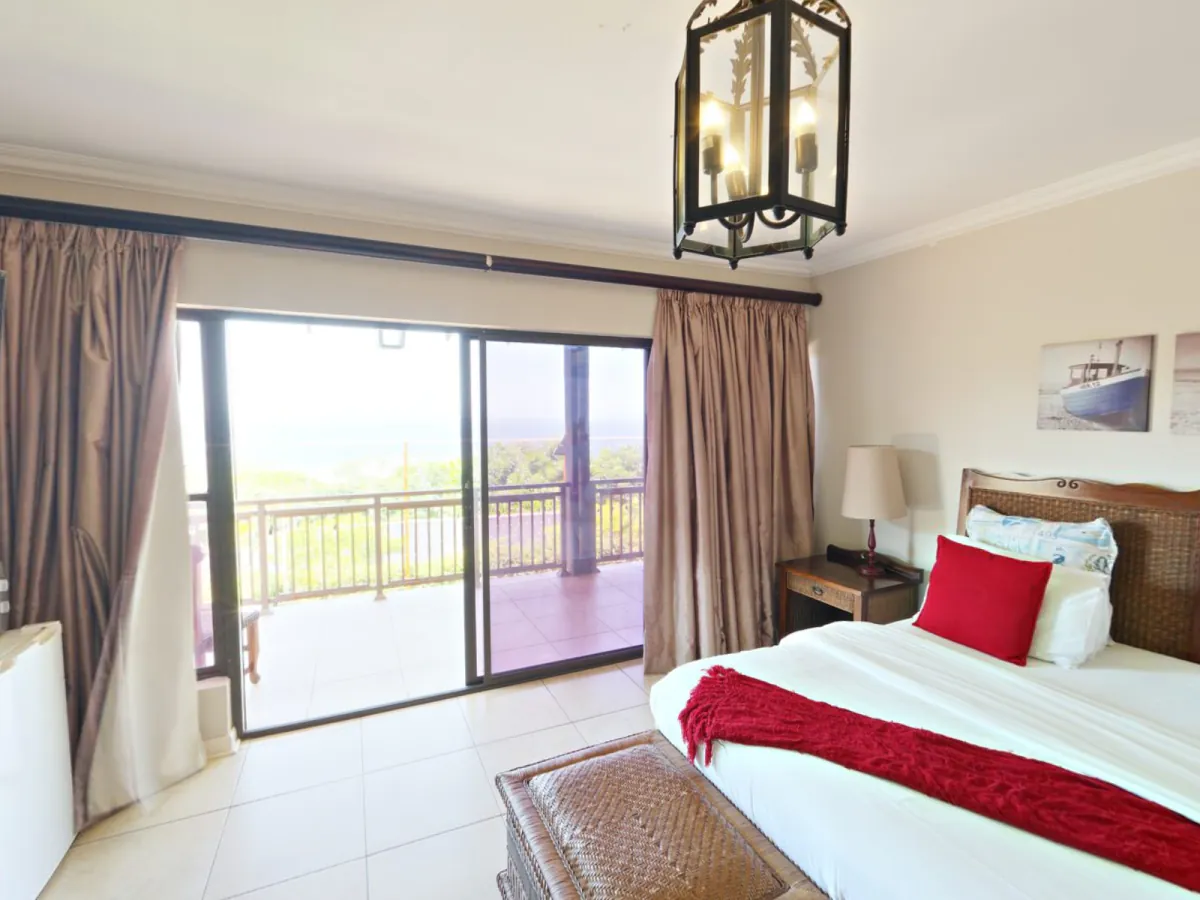
Sample walkthrough, to show you how it works. Your listings get the real one, shot by us.
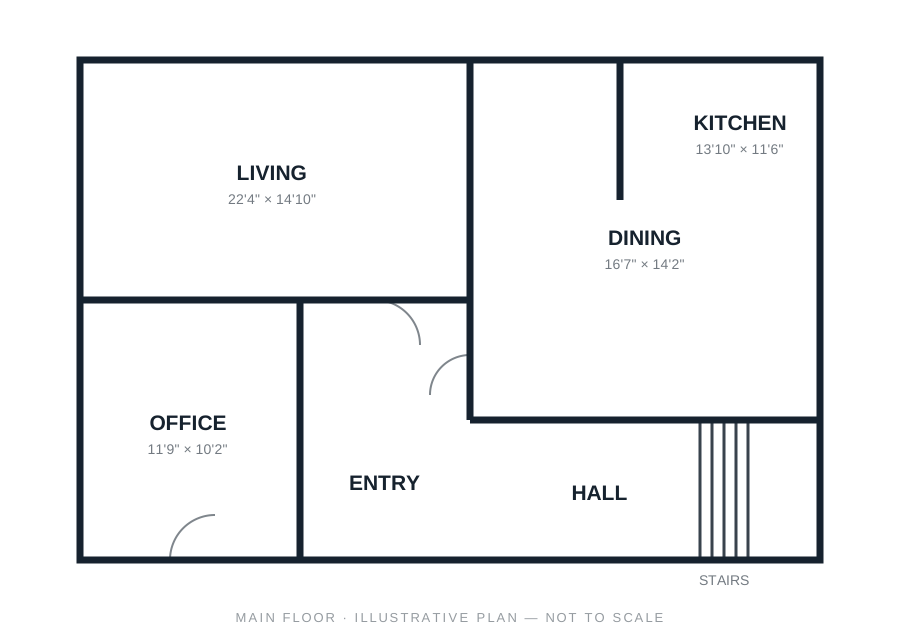
Concept drawings for the sample home, not a real one. Your listings get the real floor plan from our shoot.
We shoot it. Buyers walk through it on YOUR site. 360° walkthrough + floor plan, hosted on your pages, every showing request landing in your CRM with the listing attached.
The pain
Your listings look like everyone else’s, and the buyers still have to call to ask.
Template
Your listings look like everyone else’s.
Same brokerage frame, same photo strip, your name in small type.
Same questions
“What would the payment be?”
Every buyer asks it, every time, before they are ready to call.
Showing chaos
Requests in three inboxes.
Text, email, portal. One gets missed, and that buyer books with someone else.
How it works
Shot by us. Hosted by you. Every request lands in the CRM.
Each listing gets a 360° walkthrough and a floor plan from our shoot, on a page that is yours. Buyers book a showing from the listing, and the request lands in your CRM with the property attached. The mortgage payment, the stress test, and Toronto closing costs sit right on the listing, labelled as estimates, so the first conversation starts further along.
360° walkthrough + floor plan · book a showing · buyer tools on every listing · map and what’s around · showing reminders.
100 Sample Crescent · 4 bed · 3 bath
Sample listing on your site · try the numbers
What would this home cost to carry?
$1,180,000 · real Ontario + Toronto closing math
- Down payment (20%)
- $236,000
- Ontario land transfer tax
- $20,075
- Toronto MLTT (2026 brackets)
- $20,075
- Cash to close (excl. legal/adjustments)
- $276,150
Estimates only, using semi-annual compounding and 2026 Ontario/Toronto rules — not financial advice. Confirm rates and costs with your lender and lawyer.
Estimates only, for illustration. Not financial, legal, mortgage, or tax advice, and not an offer of credit or a rate. Figures follow 2026 Ontario and Toronto rules with semi-annual compounding, and rates, rules, and rebates change. Confirm every number with your own lender, lawyer, and accountant.
Mortgage, stress test, Toronto closing costs: answered on the listing before they call. Estimates, not advice, and the footnote on the listing says so.
100 Sample Crescent · one showing
Requested
Buyer · pre-approvedFrom the listing page, Saturday 2:30.
Confirmed
Sat 2:30Seller approved from their phone. Reminder queued.
Showed
DoneFeedback request sent on the way out.
Feedback in
Captured“Loved the kitchen, worried about the yard.”
Seller told
SentOn the lead sheet and in Monday’s report. No text from you.
A showing requested from the listing, confirmed, feedback captured, the seller told. Without a single text from you.
On the listing · location and what’s around


Map data © OpenStreetMap contributors · tap the map for directions
What’s around
- TransitQueen St streetcar4 min walk
- SchoolPublic elementary school6 min walk
- GroceryGrocery store5 min walk
- ParkPark and boardwalk3 min walk
- CaféCafé2 min walk
- HealthWalk-in clinic7 min walk
Sample rows. Entered from the listing sheet, not computed.
What’s around, on every listing: transit, schools, groceries, parks, with walking minutes.
The map, and what’s around it, on the listing. Walking minutes come from the listing sheet, entered by hand. Nothing here is computed or scored.
Your listings load once through us, with a full shoot. There is no MLS sync at any tier, and the FAQ says why.
Fewer “what’s the payment” calls. More “when can I see it” calls.
- Shot by us
- Hosted on your site
- Payment questions answered on the listing
- Every request in your CRM
Part of the Realtor+ system